Local playback
Play local video files from your Mac with drag-and-drop support, fullscreen viewing, playback speed, and volume controls.

A private, local-first video player for Mac. Open videos, drop files into the player, build a queue, and resume where you left off without accounts, subscriptions, or network access.

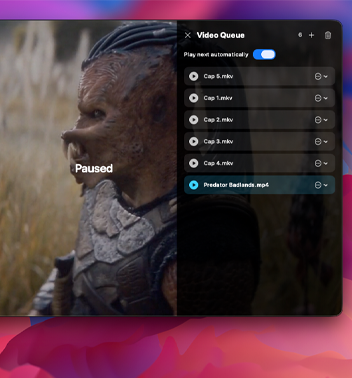
MiroVideo opens local files from your Mac, supports drag and drop, builds a persistent video queue, and keeps videos, subtitles, playback history, and queue data on your device.
When you return, your video stays at the same point where you left it.
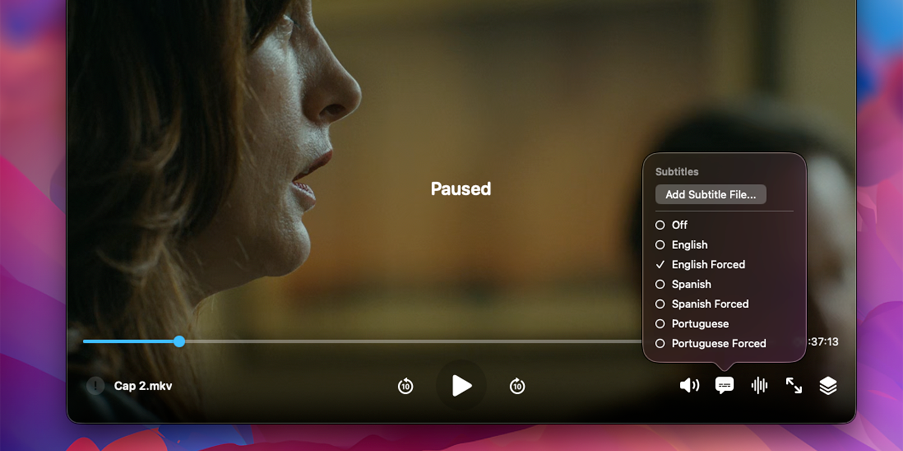
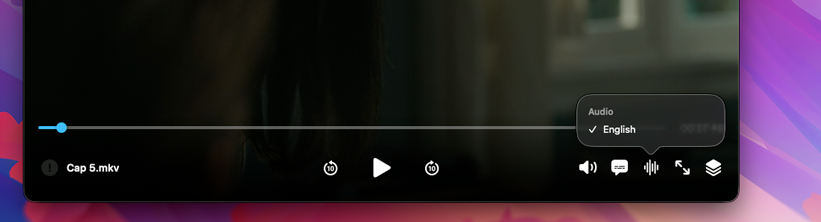
MiroVideo plays native macOS media formats through AVFoundation and can locally prepare additional formats when needed. It also supports audio-track selection, subtitle-track selection, external subtitle import, and subtitle timing adjustment.
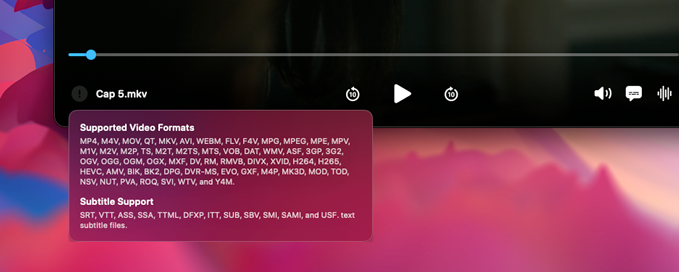
Focus on watching, organizing, and returning to your videos without accounts, sign-ins, subscriptions, or cloud upload requirements.
MiroVideo is a private, local-first video player for Mac. Open a video from your Mac, drop files directly into the player, build a queue, and resume where you left off. No account, sign-in, subscription, or network connection is required.
Designed for a focused viewing experience, MiroVideo keeps playback controls out of the way until you need them. It supports a persistent Video Queue, automatic next-video playback, remembered playback progress, adjustable volume and speed controls, fullscreen viewing, and access to available audio and subtitle tracks.
All preparation happens on your Mac. Your videos, subtitles, playback history, and queue stay on your device and are never uploaded or shared.
Play local video files from your Mac with drag-and-drop support, fullscreen viewing, playback speed, and volume controls.
Organize multiple files, automatically continue to the next video, restore your last queue, and resume playback progress.
Select embedded audio tracks, choose subtitle tracks, import external subtitles, and adjust subtitle timing.